Understand the shape, not only the hours.
See sustained stretches, changes, returns, and gaps together—so a total becomes a pattern you can inspect.
Your computer day, made visible
Panoptic connects how you use your computer with the intentions you want to support—so recurring patterns become something you can understand and work with.
One chosen intention. A trail of changes and returns.
A pattern you can work with.
The product
Panoptic connects three things that usually live apart: what happened on your computer, what keeps repeating over time, and the intentions you want available when those patterns return.
See sustained stretches, changes, returns, and gaps together—so a total becomes a pattern you can inspect.
Compare recurring behaviour with your own intentions and decide where a different condition would help.
Create the reminder or boundary you want in the context where that choice becomes relevant.
Evidence you can inspect. Choices you define.
From pattern to action
Today shows the sequence. History shows what repeats. A rule brings your intention back into the relevant context.
Follow sustained stretches, app changes, browser contexts, returns, and gaps on one continuous timeline.
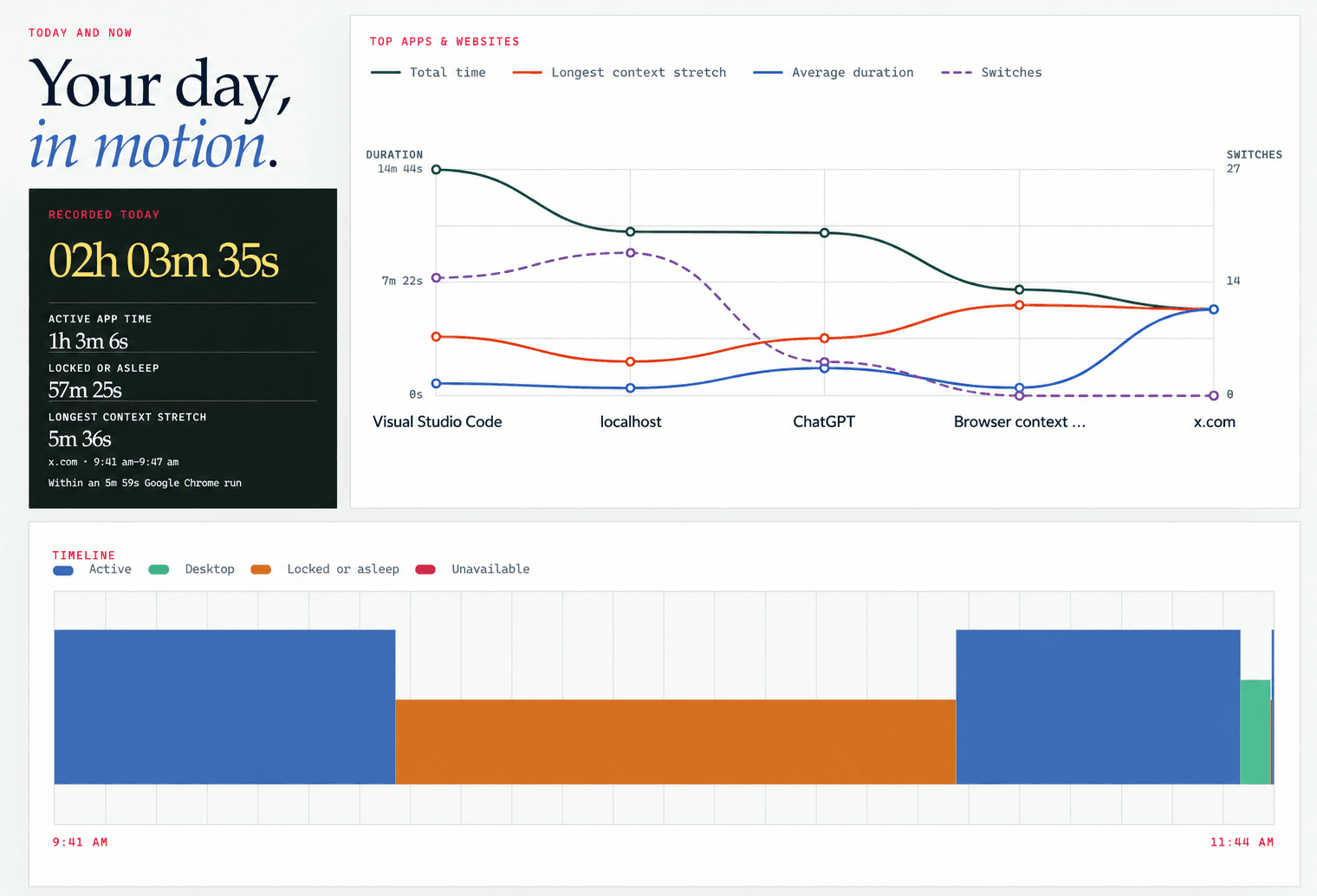
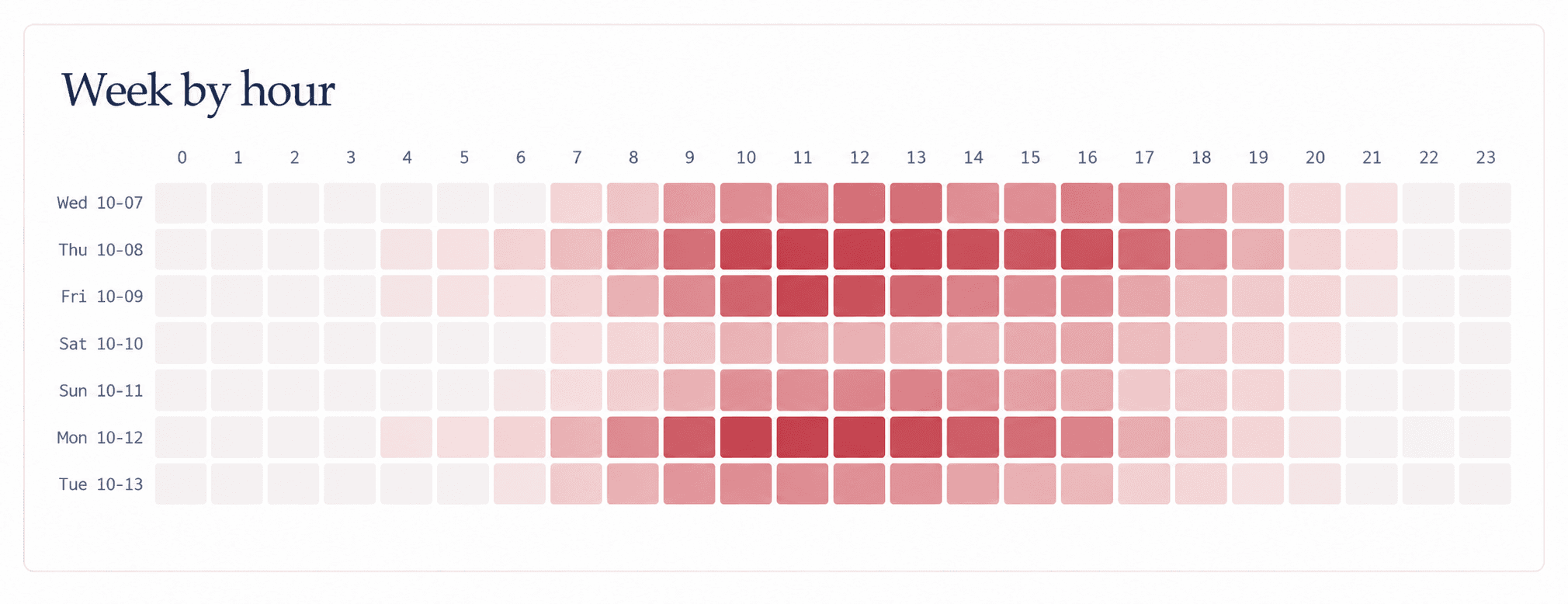
See recurring app paths, changing rhythms, and week-by-hour patterns together—then decide which pattern is relevant to you.

Choose the context, timing, and response. When that situation appears again, Panoptic presents the choice you already made.
Continue if this still fits what you want right now.
Choose a time, or continue without one.
A changing environment
Across field studies, Gloria Mark and her collaborators reported that average time on one screen fell across the years they observed. Those averages provide context. Panoptic gives you the personal evidence needed to decide what your own pattern means.
Your computer use is personal. Panoptic is designed accordingly.
Early access · Windows
Early access is open to a small group of thoughtful computer users who want clearer evidence, more intentional choices, and a say in what Panoptic becomes.
Understand the pattern. Shape the next moment.